
Nudges
Create a nudge
How to create a recurring nudge with schedule, recipients, reminders and optional approval.
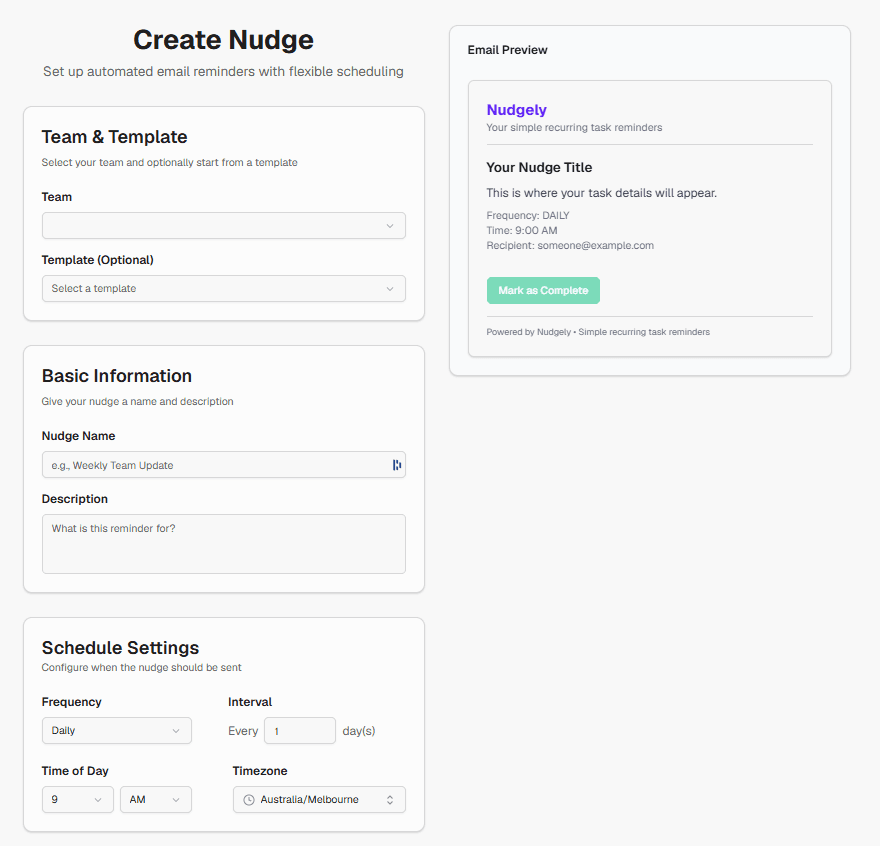
- Open Nudges in the sidebar and choose Create (or start from a template).
- Choose the team the nudge belongs to.
- Enter a clear name and task description (this is what recipients see).
- Set frequency, time of day and timezone.
- Add recipients (name + email).
- Configure reminder policy and optional approval if needed.
- Save. The nudge becomes active and will send when the next occurrence is due.
Tips
- Write the task description as instructions for the recipient, not internal notes only.
- Match the timezone to the people doing the work.
- Start simple: one recipient and weekly cadence, then expand.
Plan limits
Your plan limits how many active nudges and recipients per nudge you can have. See Plans and limits.