
Completions
Completing a task
Open the secure email link, complete the task, and optionally comment or attach a file. No account required.
Steps for recipients
- Open the nudge email.
- Click the completion button or link.
- Review the task instructions.
- Optionally add a comment and/or attachment.
- Mark the task complete.
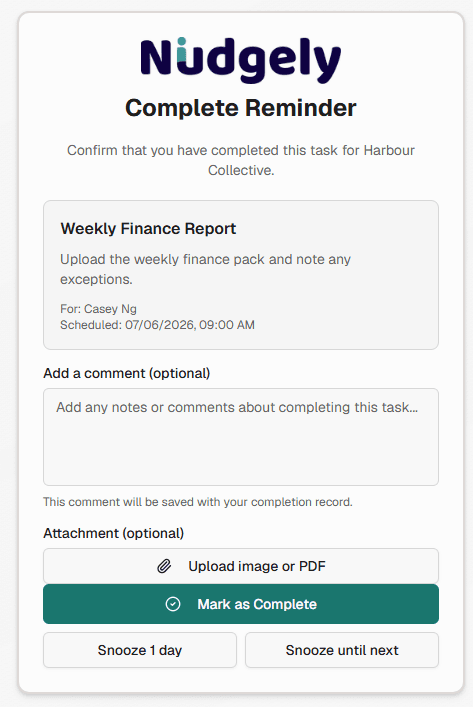
You do not need a Nudgely account.
Branded pages
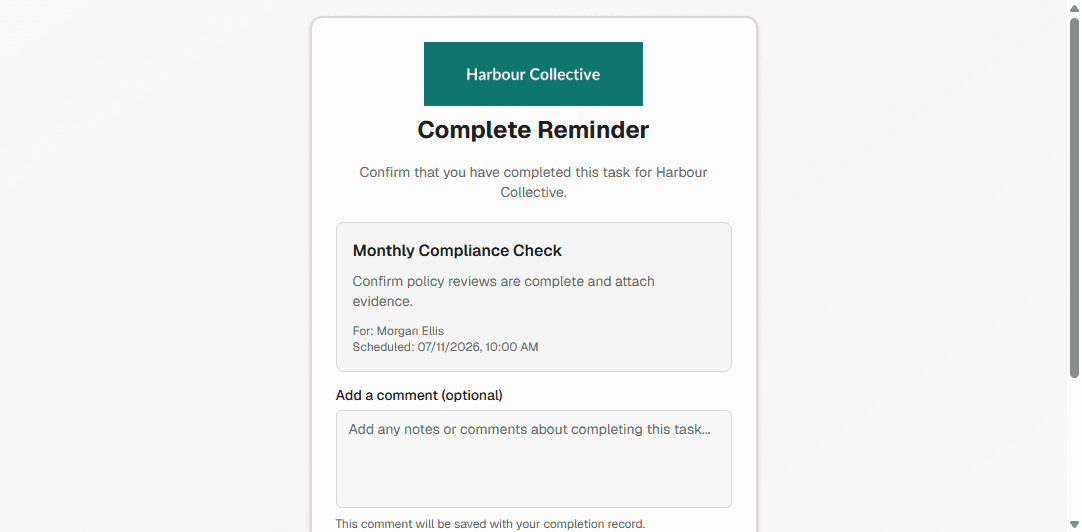
On Growth and Scale, companies can show their logo and brand colour on the completion page. This is not a custom domain.
If the link looks expired
If your link is out of date but a current incomplete task exists for the same nudge and email, Nudgely may offer a way to open the current task.
After you complete
The person who manages the nudge can be notified by email and in-app. Incomplete teammates remain outstanding until they finish.